


Leawo PowerPoint to iPad
Leawo PowerPoint to iPad is for the being-a-hit tablet computer, iPad. Beyond what the name suggests, this reliable PowerPoint to video converter can convert PowerPoint files to video in the formats that are compatible with not only iPad, but also iPhone and iPod Touch. It can preserve all the animations, slide transitions, music and videos in original PowerPoint files.
With this professional PowerPoint presentation to iPad video tool, you can fast and faithfully convert PowerPoint files, such as work schemes, courseware, lesson notes, reports and photo gallery to videos for sharing on iPad, or send the output video to your family and friends who also have iPad, iPhone or iPod Touch.
 XP/Vista/Win 7/Win 8/Win8
Key Features
- User-friendly and easy-to-use interface.
- Powerful functions.
- Convert PowerPoint to iPad video for Apple iPad, iPhone, iPod.
- Convert PowerPoint to MP4, MOV.
- Convert PowerPoint to MP3, AAC, M4A, WAV, WMA audio file.
- Preserve all original elements including animations, sounds, slide transitions, movie clips for PowerPoint to iPad conversion.
- Insert any quantity of background music files for output video.
- Customize effects by setting transition timing, keeping the aspect ratio of slides, etc.
- Personalize PowerPoint to iPad video conversion process.
- Add image as watermark to protect your PowerPoint file.
- Flexible output settings for different screen sizes.
- Perfect synchronization of sound and animation.
- Real-time preview output video during conversion.
- Support batch process and convert multiple PowerPoint files at a time.
- Fast conversion speed and clear output quality.
Systems Requirements:
Microsoft PowerPoint Version: 32-bit & 64-bit PowerPoint 2000/2002/2003/2007/2010/2013 and PowerPoint Viewer 2007/2010
Operating System: Windows 8/Windows 7/XP/2000/Vista
Processor Type: Pentium III(500Hz) or above
RAM Capacity: 256MB at least
Available Disk Space: 2GB or larger of free space
Additional: DirectX 8.1 or above; Windows-compatible sound card
How to use Leawo PowerPoint to iPad?
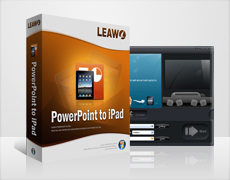
Step 1: Add PowerPoint files. Click "Add" to import your PowerPoint presentations/slideshows.
Step 2: Customization. Customize timing, add music, etc.
Step 3: Settings. Set output format and video profile.
Step 4: Start conversion. Click “Start” button to begin conversion.

 Products List
- Video Tools
- Total Media Converter Ultimate
- Video Converter Ultimate/Pro

- Video Converter
- Blu-ray Creator
- DVD Creator
- iTransfer
- Music Recorder

- Video Accelerator
- PowerPoint Tools
- PowerPoint to DVD Pro
- PowerPoint to DVD Standard
- PowerPoint to Video Pro
- PowerPoint to FLV
- PowerPoint to YouTube
- PowerPoint to iPad
- Blu-ray/DVD Tools
- Blu-ray Video Converter
- Blu-ray Copy
- Blu-ray Ripper
- Blu-ray Player
- Blu-ray to MKV Converter
- DVD Ripper
- DVD Copy
- Utilities
- iOS Data Recovery
- iOS Data Recovery for Mac
- Tunes Cleaner
- Tunes Cleaner for Mac
- SWF Encrypt
- SWF Encrypt for Mac
- Mac Video Tools
- Video Converter Pro for Mac
- Video Converter for Mac
- Blu-ray Creator for Mac
- DVD Creator for Mac
- iTransfer for Mac
- Music Recorder for Mac
- YouTube Downloader for Mac
- iAm Ringer for Mac
- Mac Blu-ray/DVD Tools
- Blu-ray Ripper for Mac
- Blu-ray Copy for Mac
- Blu-ray Player for Mac
- Blu-ray to MKV Converter for Mac
- DVD Ripper for Mac
- DVD Copy for Mac
with the good work.
From Jay Burt
I was lucky that my search words matched your website offering. I may recommend to
my friends about you.
From Rajesh Madhawarayan