


Leawo Mac DVD to iPad Converter
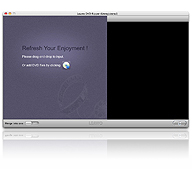
Leawo Mac DVD to iPad Converter provides a handy solution for Mac users to rip and convert DVD movies to suitable MP4 formats for playback on Apple iPad. With advanced decryption technology, it can perfectly decrypt and convert any DVD to iPad video formats for on the go enjoyment. The program can also split or merge DVD movie chapters to rip to iPad easily.
To make the conversion most convenient, the program comes with optimized profiles for iPad video/audio outputs. For further professional needs on desired DVD to iPad output, there are functions to adjust video bit rate, frame rate, video size, aspect ratio, audio channel, etc.
This Mac DVD to iPad Converter also allows you to edit the DVD movie in several aspects: modify video effects, trim video duration, crop video size and apply watermarks.

 OS X 10.6, 10.7, 10.8, 10.9, 10.10
Key Features
- Rip any DVD to MP4/MOV for Mac - Decrypt any DVD including DVD-5, DVD-9 and CSS-protected DVDs.
- Rip DVD to iPad, DVD folder to iPad or IFO to iPad
- Support DVD-5, DVD-9, CSS-DVD
- Convert DVD to iPad: MP4, MOV, HD MP4
- Convert DVD to audio: M4A, AAC, MP3, WAV
- Decrypt DVD to make perfect backup copies
- Make DVD to iPad output in your language
- Preview DVD movie and make screenshots
- Configure output settings to get higher quality
- Make video effect customized
- Free desire on video length and screen size
- Add different video watermarks
Related Products:
-
YouTube Downloader Mac
- Download, convert, play and manage online YouTube videos for Mac users in just one place. Learn More

-
DVD Creator for Mac
- Burn all video files to DVD, 3D DVD for video enjoyments on DVD players for Mac users. Learn More
-
Video Converter Pro Mac
- Rip DVD and convert video to various video and audio formats fast. Help you enjoy music and movies on the go. Learn More

 Products List
- Video Tools
- Total Media Converter Ultimate
- Video Converter Ultimate/Pro

- Video Converter
- Blu-ray Creator
- DVD Creator
- iTransfer
- Music Recorder

- Video Accelerator
- PowerPoint Tools
- PowerPoint to DVD Pro
- PowerPoint to DVD Standard
- PowerPoint to Video Pro
- PowerPoint to FLV
- PowerPoint to YouTube
- PowerPoint to iPad
- Blu-ray/DVD Tools
- Blu-ray Video Converter
- Blu-ray Copy
- Blu-ray Ripper
- Blu-ray Player
- Blu-ray to MKV Converter
- DVD Ripper
- DVD Copy
- Utilities
- iOS Data Recovery
- iOS Data Recovery for Mac
- Tunes Cleaner
- Tunes Cleaner for Mac
- SWF Encrypt
- SWF Encrypt for Mac
- Mac Video Tools
- Video Converter Pro for Mac
- Video Converter for Mac
- Blu-ray Creator for Mac
- DVD Creator for Mac
- iTransfer for Mac
- Music Recorder for Mac
- YouTube Downloader for Mac
- iAm Ringer for Mac
- Mac Blu-ray/DVD Tools
- Blu-ray Ripper for Mac
- Blu-ray Copy for Mac
- Blu-ray Player for Mac
- Blu-ray to MKV Converter for Mac
- DVD Ripper for Mac
- DVD Copy for Mac
with the good work.
From Jay Burt
I was lucky that my search words matched your website offering. I may recommend to
my friends about you.
From Rajesh Madhawarayan