


User Guide of Leawo Total Media Converter Ultimate
Leawo Total Media Converter Ultimate is an all-in-one converter that can convert regular video/audio/HD video/DVD/Blu-ray to popular video formats; burn all kinds of video to DVD and Blu-ray disc, folder and ISO files; copy and back up Blu-ray/DVD disc, folder and ISO file; and download online videos from YouTube and many other video sharing sites.
The step-by-step tutorial below will show exactly how to use Leawo Total Media Converter Ultimate. This guide would include several parts: Convert, Burn, Copy, Download and Edit.
Part 1: Convert Blu-ray/DVD/video/audio
Step 1: Kick off Leawo Total Media Converter Ultimate and open the “Convert” module. Click “Add Video” or “Add Blu-ray/DVD” button to import source video or Blu-ray/DVD file into this app respectively. After adding source files, you could play back them, select subtitles and audio tracks, merge files into one, edit loaded files, etc.
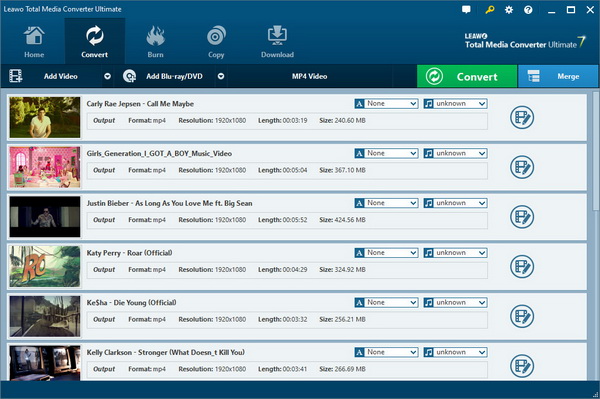
Note: When you try to load Blu-ray/DVD files, Leawo Total Media Converter Ultimate offers you 3 loading modes: Full Movie (all content in source files would be loaded), Main Movie (only the longest title will be loaded) and Custom Mode (only selected titles would be loaded).
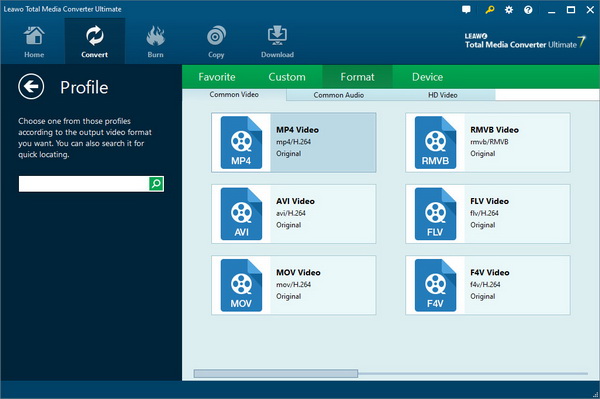
Step 2: Click the drop-down box next to the “Add Blu-ray/DVD” button and choose “Change” option to set output format. On the popup Profile panel, choose a proper format as output format.
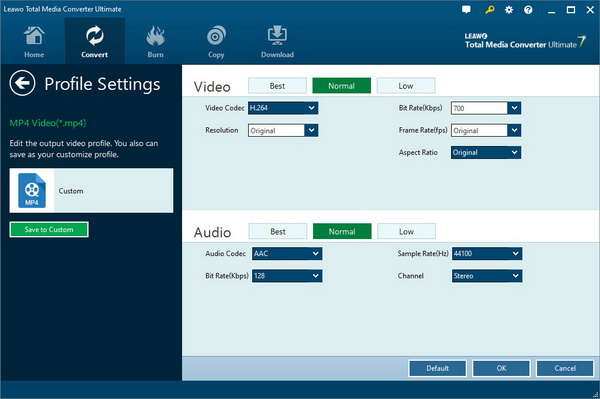
(Optional): If you need, you could change the video and audio parameters of output files, like video codec, bit rate, aspect ratio, video quality, resolution, audio codec, etc. You can do this by choosing the “Edit” option on the drop-down panel.
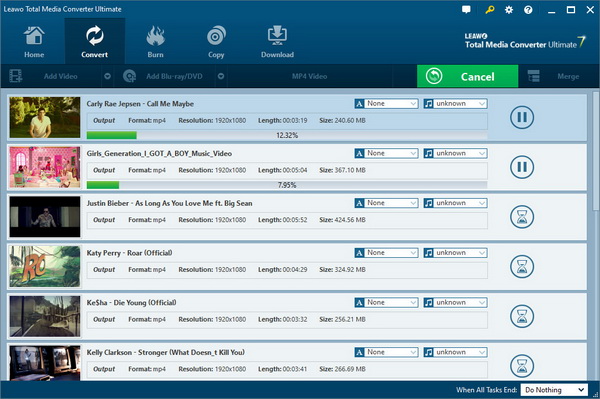
Step 3: Click the big green “Convert” button and then set the “Save to” box to target an output directory on the popup sidebar. After that, click the bottom “Convert” button on the sidebar to start converting.
Part 2: Burn to Blu-ray/DVD
Burn video to Blu-ray/DVD
Step 1: Open the “Burn” module and then click the “Add Video” button to browse and add source video files into this burner for burning to Blu-ray/DVD files. After loading, set the output disc type, quality and aspect ratio at the bottom according to your needs.
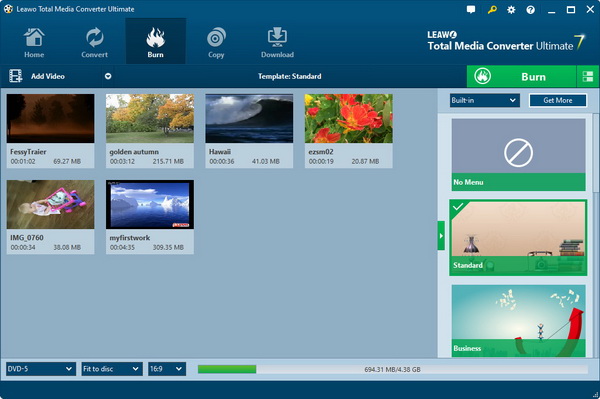
Step 2 (optional): Select a disc menu on the right side, and click the middle of it to get preview.
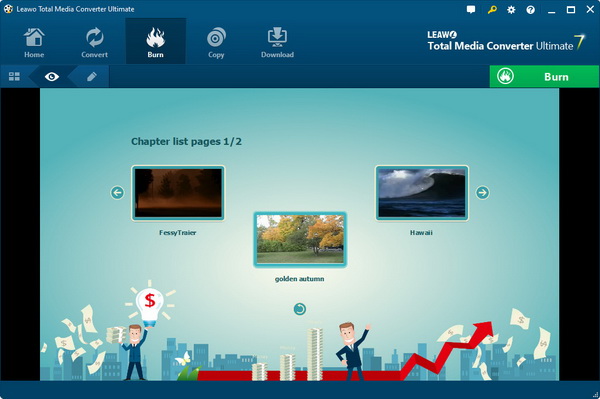
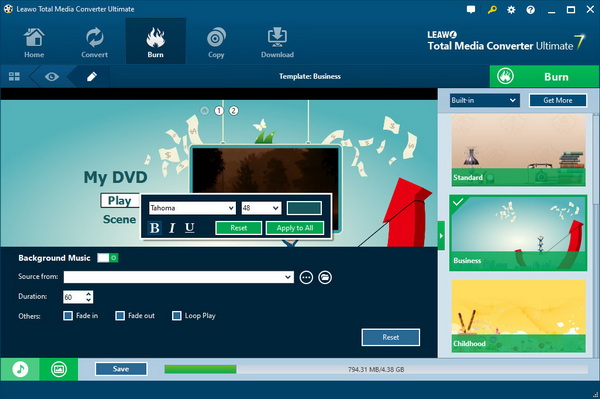
Note: You could design disc menu by clicking the “pencil” icon right before the big green “Burn” button. On the disc menu design panel, you could add your own image, picture or video as background, change the title content (via double-click) and reposition it (via direct drag), adjust text font, color, and size (via right-click), etc. You could even click the “Get More” button to download more menu templates from Leawo. Click the blue “Save” button at the bottom to save your designed menu.
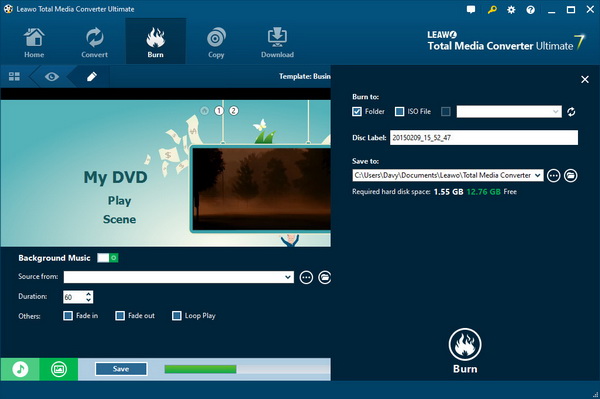
Step 3: Click the green “Burn” button to do related burning settings on the popup sidebar, including: Burn to, Disc Label and Save to options. After those, click the bottom “Convert” button on the sidebar to start burning.
Burn ISO file to disc
Step 1: Click the inverted triangle arrow next to the “Add Video” button under the “Burn” module and then select “Add iso file” option. The program would guide you to browse and load ISO files on your computer.
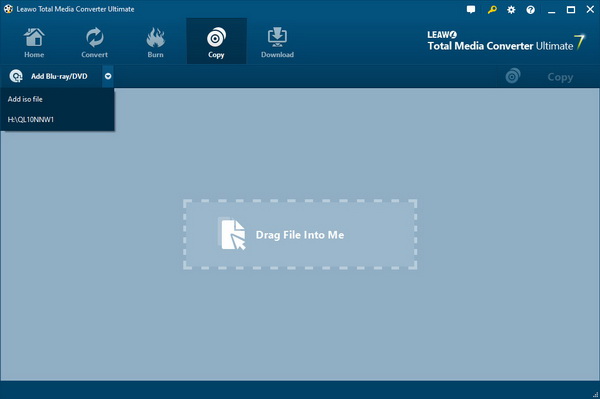
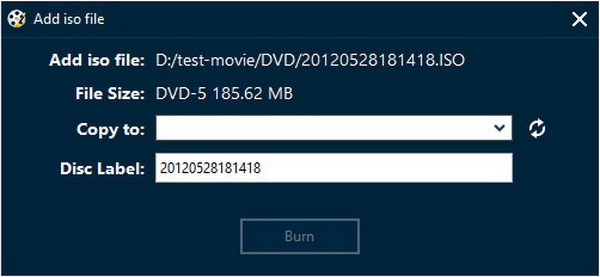
Step 2: After selecting ISO file for adding, an “Add iso file” window would pop up. Insert a blank writable disc into the disc drive and then click the fresh button on the “Add iso file” window. Set Disc Label option. Click the “Burn” button on the “Add iso file” window to start burning ISO file onto blank writable disc.
Part 3: Back up Blu-ray/DVD
Copy Blu-ray/DVD disc or folder
Step 1: Under “Copy” module, click the “Add Blu-ray/DVD” button to import source Blu-ray/DVD disc or folder for copying to computer hard drive or blank disc.
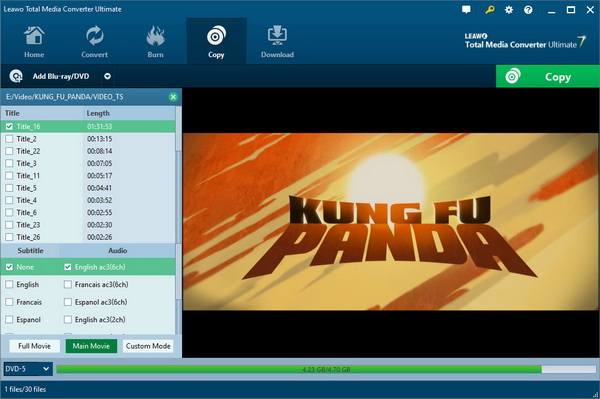
Note: 1. Leawo Total Media Converter Ultimate offers 3 content loading mode for Blu-ray/DVD backup: Full Movie, Main Movie and Custom Mode. You could play back titles or chapters before you decide which content to load.
2. After loading source Blu-ray/DVD file, set output disc type at the bottom.

Copy ISO file to disc
Step 1: Insert a blank writable disc into disc drive beforehand. Then, click the inverted triangle icon next to the “Add Video” button under the “Copy” module and then select “Add iso file” option. Browse and add source ISO file into this program for backup.
Step 2: On the popup sidebar, click the fresh icon next to the “Copy to” box if this program failed to detect the inserted disc. Set Disc Label at your will. Then, click the “Burn” button on the “Add iso file” window to start ISO to disc backup.
Edit media files
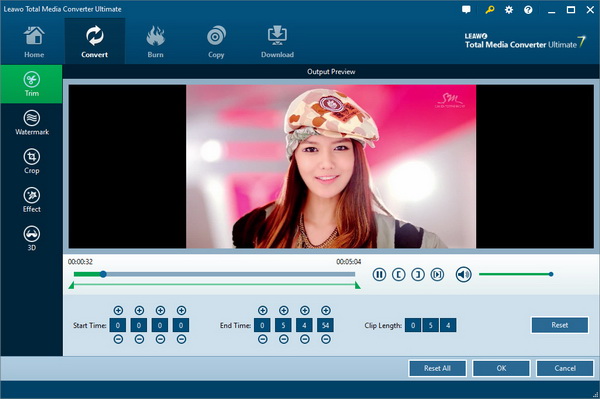
For either converting Blu-ray/DVD/video or burning video to Blu-ray/DVD, Leawo Total Media Converter Ultimate allows you to edit source media files. You could trim video length, add text or image watermark, crop video size, adjust video effect and add 3D effect. After loading source media files into the “Convert” or “Burn” module, right click loaded file and then select “Edit” option to enter the editing panel.
Trim: Set Start Time and End Time values or drag the twin limiters below the playbar to trim video length and get unwanted clips trimmed.
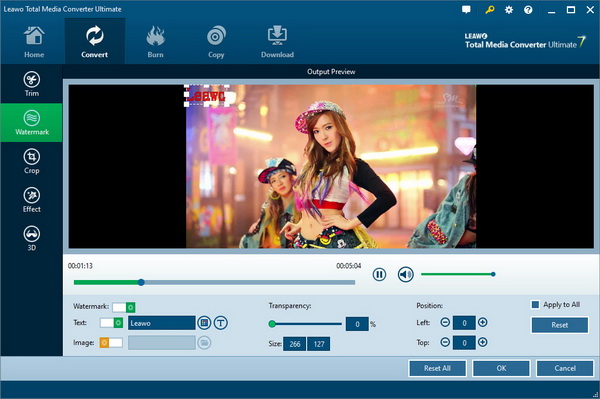
Watermark: Slide “Watermark” to green and then select either Text or Image watermark for adding. You could customize the parameters of added watermark.
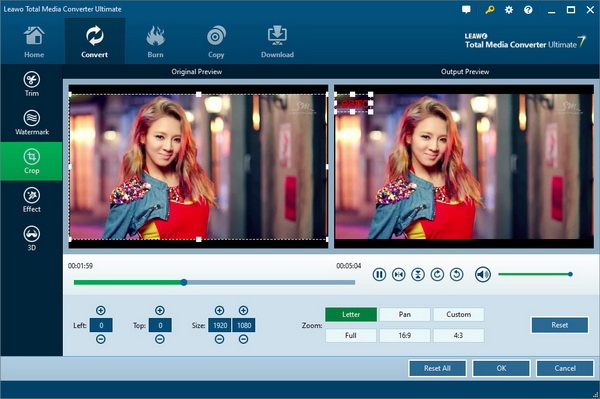
Crop: Select a Zoom type, then set the Left and Top values to remove black margins. Or, directly drag the dot frame box on the left Original Preview panel to get desired size.
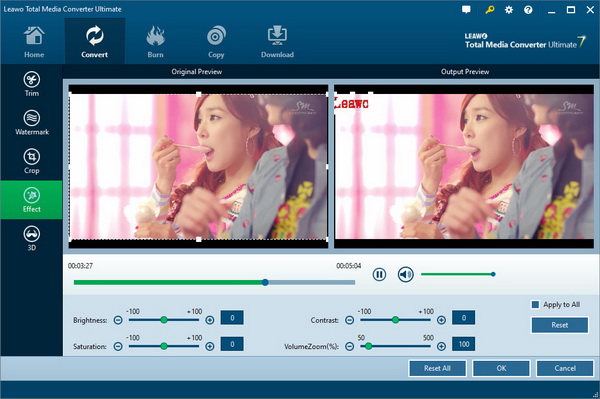
Effect: Adjust video Brightness, Contrast, Saturation and VolumeZoom to change video effect.
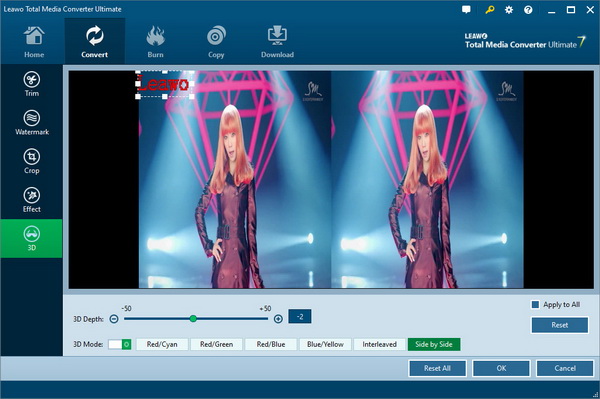
3D: Slide the “3D Mode” option to green and then select a 3D effect for applying to the final results. You could also adjust 3D Depth and get instant preview.

 Products List
- Video Tools
- Total Media Converter Ultimate
- Video Converter Ultimate/Pro

- Video Converter
- Blu-ray Creator
- DVD Creator
- iTransfer
- Music Recorder

- Video Accelerator
- PowerPoint Tools
- PowerPoint to DVD Pro
- PowerPoint to DVD Standard
- PowerPoint to Video Pro
- PowerPoint to FLV
- PowerPoint to YouTube
- PowerPoint to iPad
- Blu-ray/DVD Tools
- Blu-ray Video Converter
- Blu-ray Copy
- Blu-ray Ripper
- Blu-ray Player
- Blu-ray to MKV Converter
- DVD Ripper
- DVD Copy
- Utilities
- iOS Data Recovery
- iOS Data Recovery for Mac
- Tunes Cleaner
- Tunes Cleaner for Mac
- SWF Encrypt
- SWF Encrypt for Mac
- Mac Video Tools
- Video Converter Pro for Mac
- Video Converter for Mac
- Blu-ray Creator for Mac
- DVD Creator for Mac
- iTransfer for Mac
- Music Recorder for Mac
- YouTube Downloader for Mac
- iAm Ringer for Mac
- Mac Blu-ray/DVD Tools
- Blu-ray Ripper for Mac
- Blu-ray Copy for Mac
- Blu-ray Player for Mac
- Blu-ray to MKV Converter for Mac
- DVD Ripper for Mac
- DVD Copy for Mac
with the good work.
From Jay Burt
I was lucky that my search words matched your website offering. I may recommend to
my friends about you.
From Rajesh Madhawarayan