Last updated on 2026-03-30, by
Complete Guide: Types of Blu-ray Discs and Their Uses
What This Guide Covers
- This article explains the different types of Blu-ray discs, including BD-ROM, BD-R, BD-RE, BDXL, and Ultra HD Blu-ray, and how they differ in capacity, rewritability, and use. It also helps you choose the right disc based on your storage needs, device compatibility, and budget.
Different BD formats are designed for different uses, including storing or backing up data and playing movies. Some of those formats are BD-ROM, BDR, and BDRE, along with the large-capacity formats BDXL and Ultra HD Blu-ray for 4K. In this article, we’ll cover the details of each type of Blu-ray disc to help you understand the differences and choose the right disc for your needs.
Quick AccessCLOSE
Standard Blu-ray Disc Types
The Blu-ray family comprises three main standard types, differentiated by how they store data:
1. BD-ROM
BDROM media is pressed in a factory and cannot be erased or written to. BDROM is used for movies and games, and also for software applications. Each layer holds 25 GB of data. Most of these media have two layers, so the total capacity is 50 GB. BDROM is a type of BD media. It can contain Blu-ray-specific file and directory structures such as BDMV. BDROM media can contain copy protection such as AACS and BD+, and region codes as well. The data is prerecorded; therefore, the quality is always high and constant. This means that a standard Blu-ray player or drive can read BDROM media.
2. BD-R
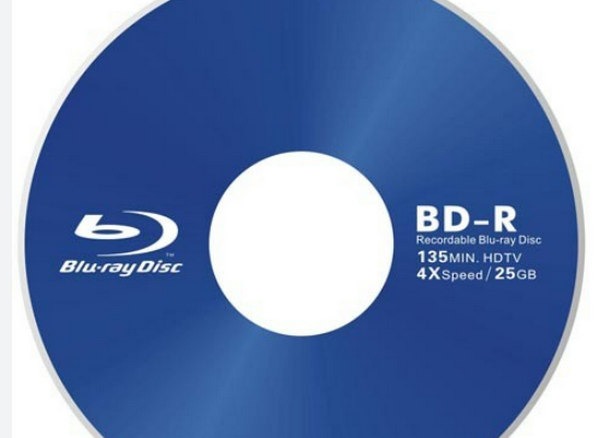
The BDR discs can only be written once by the consumer. They can be single layer 25GB or dual layer 50GB. They are great for storing HD movies, large data collections, or even homemade Blu-ray movies. The data is permanent once it is written. Most Blu-ray burners available today can write data to a BDR. The discs even have a hard coat layer that gives them scratch protection. They are very inexpensive, costing only $1 to $2 per disc, which is great for one-time backups.
3. BD-RE
BDRE works exactly the same as the BDR. The data can even be erased and formatted 1,000 times. The disc is available in 2 different sizes: single-layer 25GB and dual layer 50GB. They are great for intermediate backups, incremental videos, or even testing data loads that need copying. They take a little longer to burn than the BDRs, cost a few dollars more, but will pay off in the long run. Right now, they can be written by any modern writer, but some remote players cannot read the BDRE.
High-Capacity Blu-ray Media Types (BD-R XL & BD-RE XL)
BD XL media is an extension of the previous 50GB media. BDR XL media is available in a triple-layer 100GB media and a quad-layer 128GB media. There is only one medium of double-sided triple-layer BDRE XL media that is rewritable at 100GB. This media is used for large backups, professional video recording, and large business archiving that cannot be met by other media.
It is important to have a new burner to read or write BDXL media, as the old burners cannot read or write BDXL media. The 100GB BDXL media has the capability of storing a whole session of a 4K camera. The price of 100GB BDXL media ranges from $10 each, while 128GB media ranges from $1 to 2$.
The 4K Factor: Ultra HD Blu-ray
Starting off, Ultra HD Blu-ray delivers sharp video playback. Happening next, it launched with 3840 by 2160 pixels, also known as 4K, alongside HDR support. Beyond that, colors appear broader and richer, while sound comes through in advanced digital formats. Because of two layers packed into each disc, there’s space for 66 gigabytes, fitting more 4K material than standard HD versions. Stacking things further, three-layer models bump capacity up to 100Gb.
Examples include several Sony and Panasonic Ultra HD-compliant players. The PS5 and Xbox Series X/S gaming consoles, together with most PCs, provide UHD Blu-ray disc playback capabilities. Standard Blu-ray Disc Players cannot play UHD Blu-ray Discs, but any UHD-capable player can play standard Blu-ray Discs. The vast majority of UHD Blu-ray discs use dual-layer and triple-layer formats, which provide 2.0+ content that functions as Region Free. Most UHD Blu-ray discs contain full-length feature films or premium quality video content. These discs usually have a higher price point, which falls between $25 and $35 each.
How to Choose the Right Blu-ray for Your Needs
Now let’s see how you can choose the right Blu-ray for your needs.
1. Quick Comparison Chart
The table below summarizes key properties of each Blu-ray format:
| Disc Type | Capacity (single/dual/triple) | Rewritable? | Typical Uses | Compatibility |
|---|---|---|---|---|
| BD-ROM (read-only) | 25 GB (SL); 50 GB (DL) | No | Commercial movies, games, software, archive | Playable on any Blu-ray player; original format |
| BD-R (recordable) | 25 GB (SL); 50 GB (DL) | Write-once | Personal backups, HD video recording | Most burners/drives and players support BD-R |
| BD-RE (rewritable) | 25 GB (SL); 50 GB (DL) | Rewritable (~1,000×) | Iterative backups, editing, data transfers | Most modern Blu-ray drives support BD-RE |
| BD-R XL (BDXL) | 100 GB (TL); 128 GB (QL) | Write-once | Large data archives, 4K video, enterprise | Requires BDXL-compatible burner/player; older devices will not read |
| BD-RE XL (BDXL) | 100 GB (TL) only | Rewritable | Large reusable backups, heavy workflow | Requires BDXL-compatible hardware |
| Ultra HD Blu-ray (BD-ROM) | 66 GB (DL); 100 GB (TL) | No | 4K UHD movies with HDR and advanced audio | Only Ultra HD Blu-ray players/drives (2016+); not playable on standard players |
2. Key Selection Criteria
The disc you should buy is determined by how you plan to use it, the equipment you own, and the money you are willing to spend.
Purpose
Determine the exact type of storage needed (standard movie playback, or live-recorded playback). If you update backups or movie production weekly, then BD-RE is your best option, as you can delete the data and replace it with new data. If you are going to keep an archive for years, a BD-R XL (100 GB) will hold much more than any other.
Capacity
Next, determine the amount of space you will need. Regular Blu-Ray (BD) discs (both BDR and BD-ER) hold a maximum of 50GB of data for any one job. Once an individual file exceeds that size, you can then choose a BDXL version of disc which provides you with either 100GB or 128GB per disc. If your jobs are all 25GB or less, you will be able to get the lowest total cost of storing those files by using a 25GB BD-R.
Drive or Player Compatibility
Once you have determined which storage format you are going to use to create your archive, you will then need to check that your disc burner/reader will accept the one you have chosen; many older Blu-Ray disc readers will not read the BDXL format. In addition to that, many older Blu-Ray disc readers will not read Ultra HD Blu-Ray discs without the latest technology (UHD player or console).
Rewritability
The BD-R format allows one-time recording which creates permanent content after the recording session ends. The format provides suitable storage for permanent archival purposes. The BD-RE format permits multiple deletion and re-recording procedures, which make it suitable for brief backup needs and temporary writing tests.
Cost
The retail price of products increases according to their additional features because the 25 GB BD-R represents the lowest cost option. The BD-RE and BDXL discs have higher prices because they include additional rewritable capability and extra disc layers. The BD-R format provides the most economical storage solution because it offers the highest value of storage space per unit cost.
Disc Quality and Storage
Data errors decrease when people use dependable brands like Verbatim and Sony and Panasonic. The discs require both appropriate handling methods and access to secure storage environments for long-term protection.
Tips to Maintain and Store Your Blu-ray Discs
Blu-ray discs are durable, but proper care is still important if you want them to last for years. A few simple habits can prevent scratches, read errors, and data loss.
Tips:
- Handle discs carefully. Always hold a disc by the edges or the center hole. Avoid touching the shiny recording surface because fingerprints and dust can affect playback or data reading.
- Store discs in protective cases. Keeping Blu-ray discs in their original cases or protective sleeves helps prevent scratches and exposure to dust. Avoid stacking discs directly on top of each other.
- Keep them away from heat and sunlight. Discs need protection from both heat and sunlight. No storage in direct sunlight or exposed to heat. Direct sunlight will cause recording layer damage over long periods of exposure, while heat can also do long-term damage to the recording layer.
- Clean discs properly. Users need to clean discs through proper methods. Users should wipe off any dust that lands on the clear side using a soft microfiber cloth from the center hole to the edge in outward motion because circular strokes will scratch the plastic.
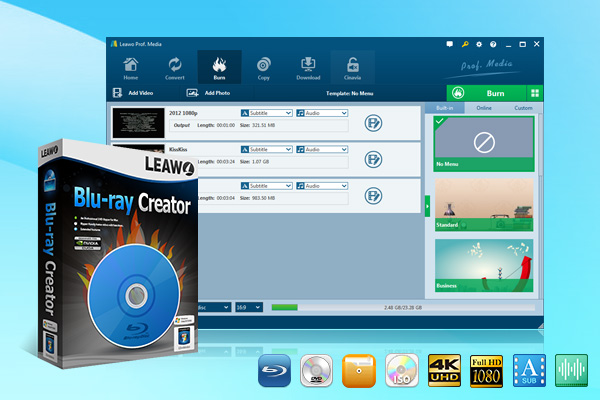
- Use reliable burning software. Reliable burning software needs to be used for your burning needs. Choose dependable software when you create a new disc using Leawo Blu-ray Creator which stands as a widely recognized option. Your Blu-ray discs will function correctly on most players while maintaining optimal playback quality when you use this reliable software.
-
Professional disc authoring software that lets you burn Blu-ray/DVD discs, folders or ISO images from videos/images in 180+ formats. It features a built-in video editor, offers 40+ free disc menu templates for customization, and supports converting 2D videos into 3D Blu-ray/DVDs with 6 different 3D effects available.
Following these simple steps helps keep your Blu-ray discs in good condition and ensures reliable playback and long-term storage.
Conclusion
The market provides various options in the format of the Blu-ray disc. You can select one of them. The right model will assist you in saving money and time required to complete the process. BDROM works as a read-only format. This format allows publishers to distribute their content. The system does not allow users to generate any files through the writing process. You can store your content through BDR and BDRE. You can select BDR if you want to create a permanent record. The record will never change. And, you can select BDRE if you want to use it as a backup. You will have the option to change your files after completing the process. Want more space? BDXL offers more space. The system must have the right hardware to match the specifications. Lastly, store the disc in the proper position if you want to protect it during the process. Your Blu-ray disc will last over time.
-
Complete Guide: Types of Blu-ray Discs and Their UsesCassie J./2026-03-30
-
How to Play Region B Blu-ray in Any Region?Cassie J./2026-02-28
-
How to Play AVI Files on Mac and WindowsCassie J./2026-01-30
-
The Complete Guide to Play Blu-ray on PS5Cassie J./2025-12-23
-

How to Increase the Resolution of Image?Cassie J./2025-11-26
-

How to View Twitter Without an Account?Cassie J./2025-10-31
-
How to Convert AVCHD to MP4 on Mac, Windows, Android, and iPhone?Cassie J./2025-09-28
-

What is Region 1 DVD? How to Play Region 1 DVD in Other Regions?Cassie J./2025-08-21
-
How to Burn YouTube Video to DVD for Offline Archive?Cassie J./2025-07-11
-

Can’t Play Video? 6 Quick Solutions for “Video Codec Not Supported”Cassie J./2025-06-25