Last updated on 2025-09-28, by
How to Convert AVCHD to MP4 on Mac, Windows, Android, and iPhone?
Summary:
- This article will share simple ways to convert AVCHD to MP4 on Mac, Windows, Android, and iPhone using online video converter and software quickly.
AVCHD stands for Advanced Video Coding High Definition. This is a popular format for high-quality video recordings. It’s especially useful for recording with camcorders. No doubt it preserves excellent detail. However, the problem is that AVCHD files can be large files. And most of the time, the format isn’t always compatible with common media players or devices. For these reasons, it’s a necessity to convert AVCHD to MP4. As we know, MP4 is a widely supported format that balances quality and file size. The best thing is that it is easier to play, share, and edit your videos.
In this article, I will share some simple and reliable methods to convert AVCHD files to MP4 on PC and phone. No matter if you are using desktop software, online tools, or mobile apps, by the end, you’ll know exactly how to make your high-definition videos compatible with all your devices.
OutlineCLOSE
How to Convert AVCHD to MP4 on Mac and Windows
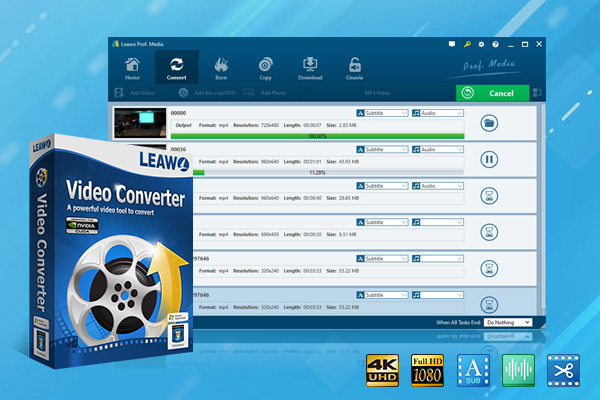
As we discussed, AVCHD files are a preferable format for capturing high-definition video. However, their large size and limited compatibility can make them difficult to play or edit on everyday devices. To tackle this issue, you can use a third-party downloader. One of the best tools is Leawo Video Converter for this task. This versatile software allows you to convert AVCHD files to MP4 quickly. Also, you can easily convert on both Mac and Windows, while preserving the original quality.
-
- Convert video/audio between 180+ formats.
- Convert video/audio with original quality in 6x higher speed.
- Turn photos (folders) into photo slideshows video.
- Convert 2D to 3D video via editting 3D depth range and 6 different 3D modes.
With Leawo Video Converter, you can customise your output files and enjoy your videos on any device without facing any issues. No matter if you’re a beginner or an advanced user, Leawo Video Converter makes the AVCHD to MP4 conversion process simple, efficient, and reliable. Follow the simple steps below to convert AVCHD files to MP4.
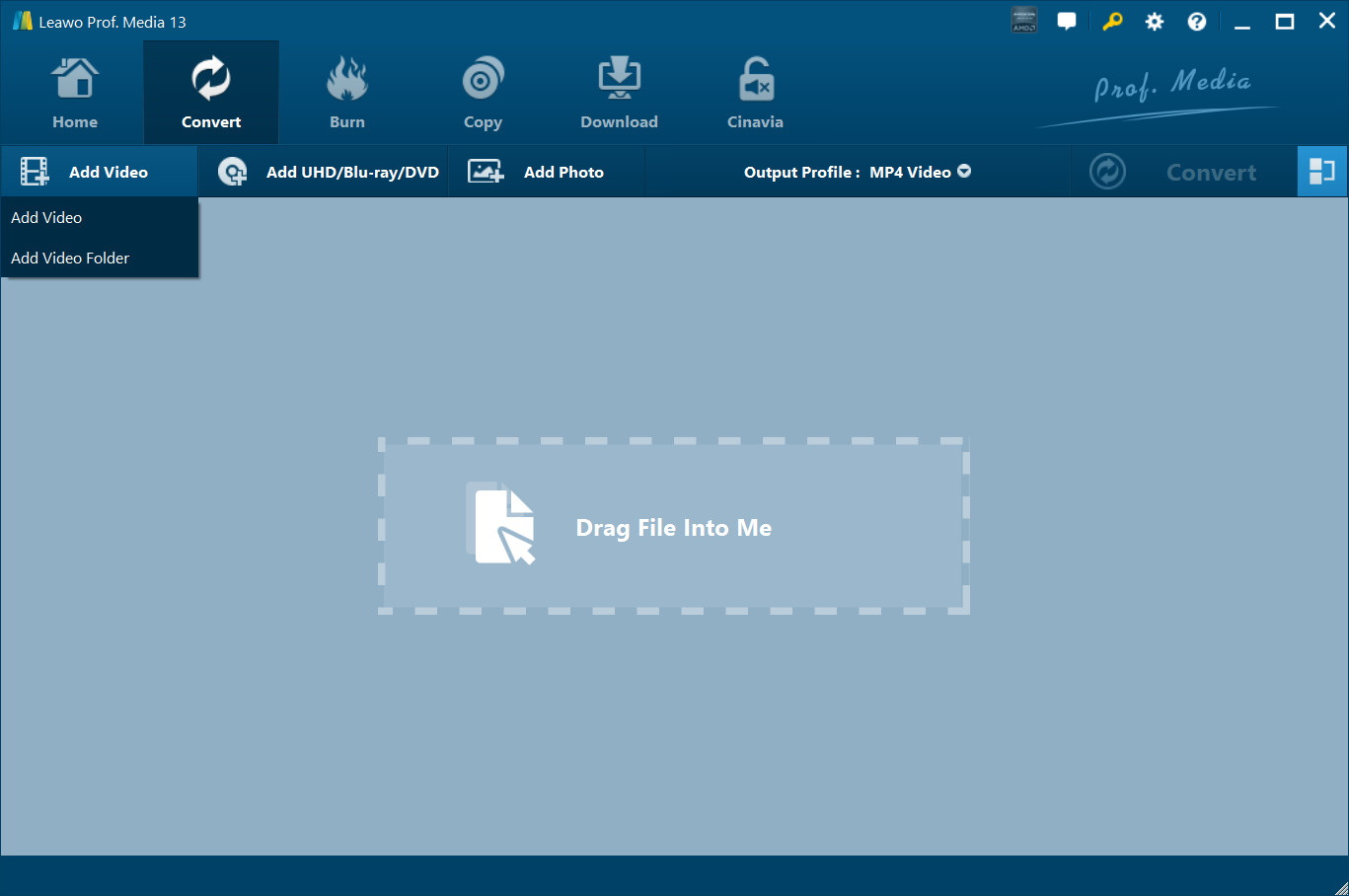
Step 1: Import Video or Audio Files
First, go ahead and click the “Add Video” icon on the top bar. This will open a drop-down menu; you need to select the video or folder you want to import. Here, you can simply drag and drop your media files directly into the program. Here also you can also “Merge all files into one” by clicking on the large button next to the big green Convert button. Also, here you can use a built-in video editor to add subtitles and preview media.
Step 2: Choose Output Format
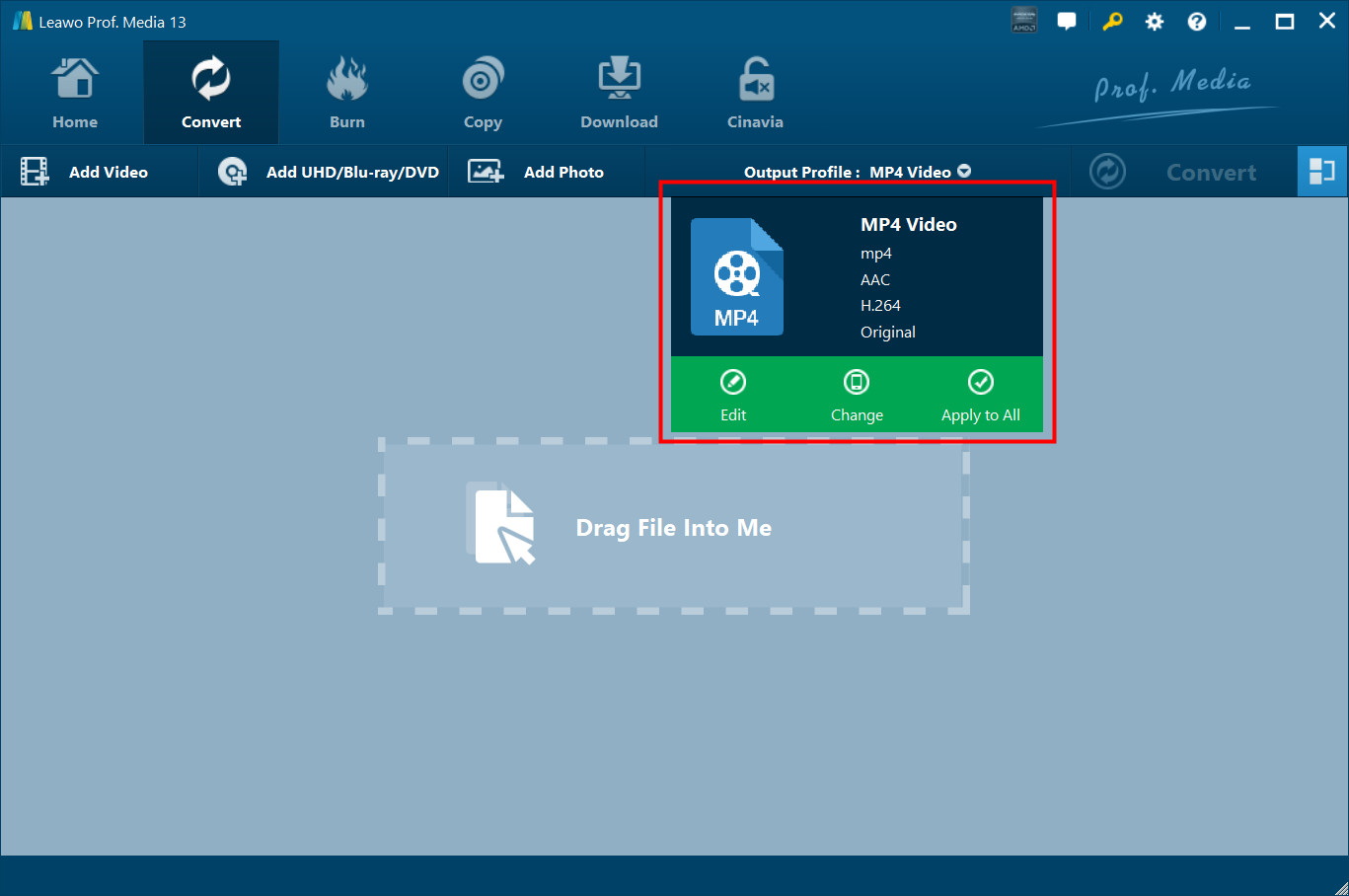
After importing your files, click the drop-down box labelled “MP4 Video” (default). You will see this next to the Convert button. Then select Change. This opens the Profile panel. Here you can choose the output format.
Step 3: Adjust Video and Audio Settings
Now it’s time to customise output settings. To do this, click Edit in the same drop-down box. In the Profile Settings window, you can adjust video parameters such as codec, resolution, bit rate, frame rate, and aspect ratio, as well as audio settings like codec, bit rate, and sample rate. Finally, click OK to save your changes.
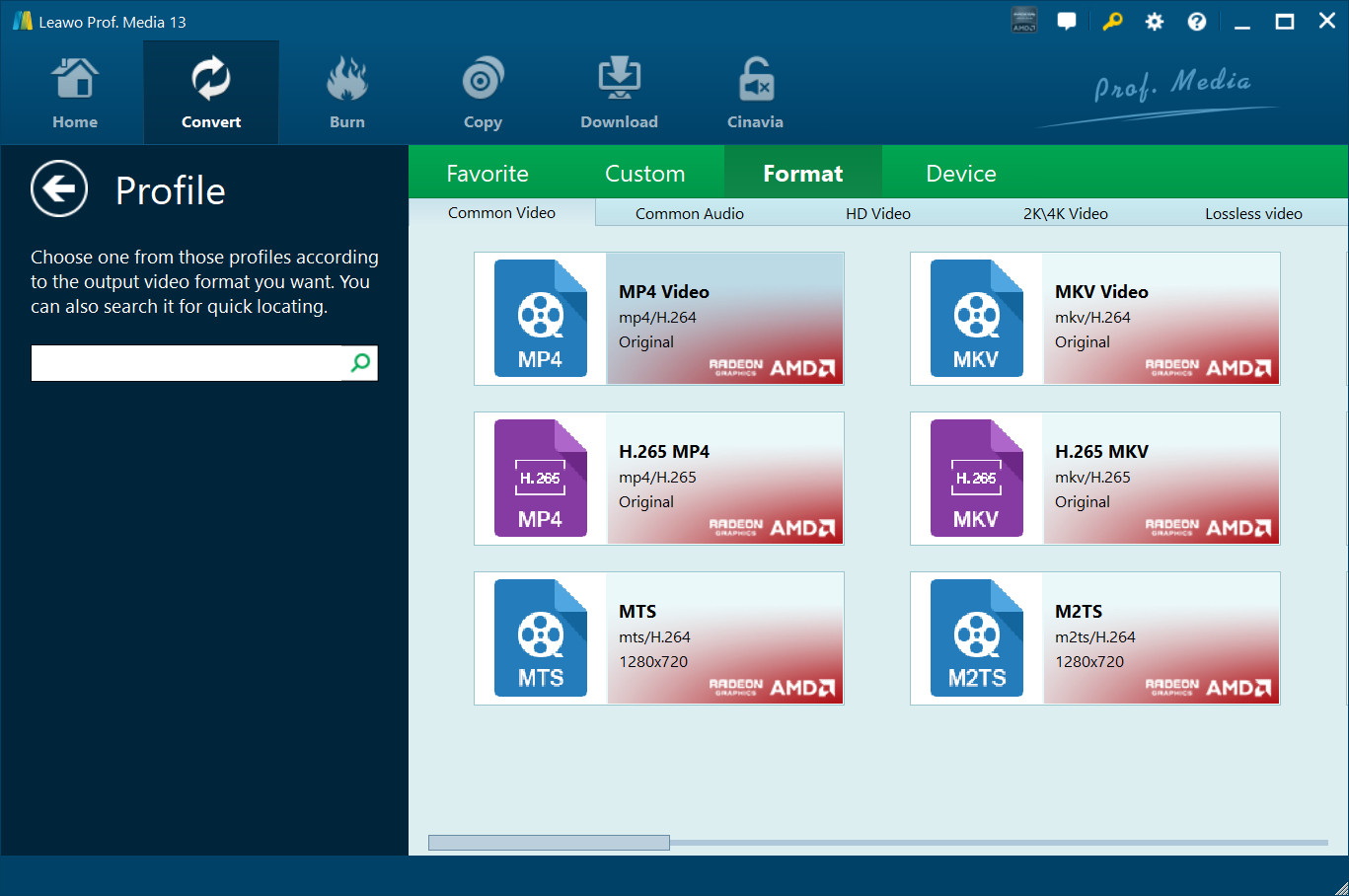
Step 4: Set Output Directory
Go ahead and return to the main interface and click the big green Convert button. Here you will see a sidebar appear. Here you can choose a folder in the Save to box to store your converted files.
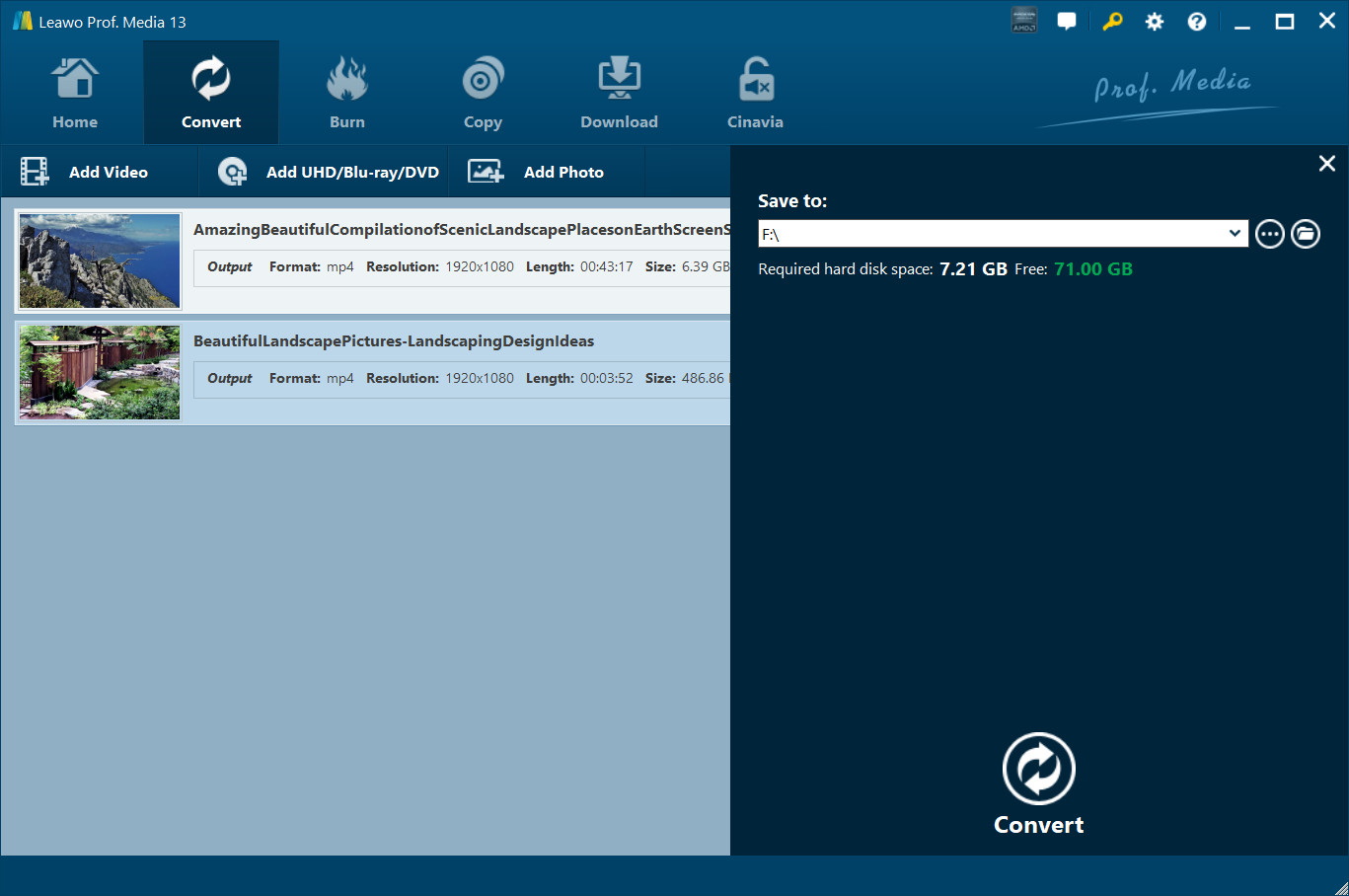
Step 5: Start Conversion
Finally, click Convert at the bottom of the sidebar. This will start converting your video and audio files. Once the process is complete, you can find all converted files in the folder you set in Step 4.
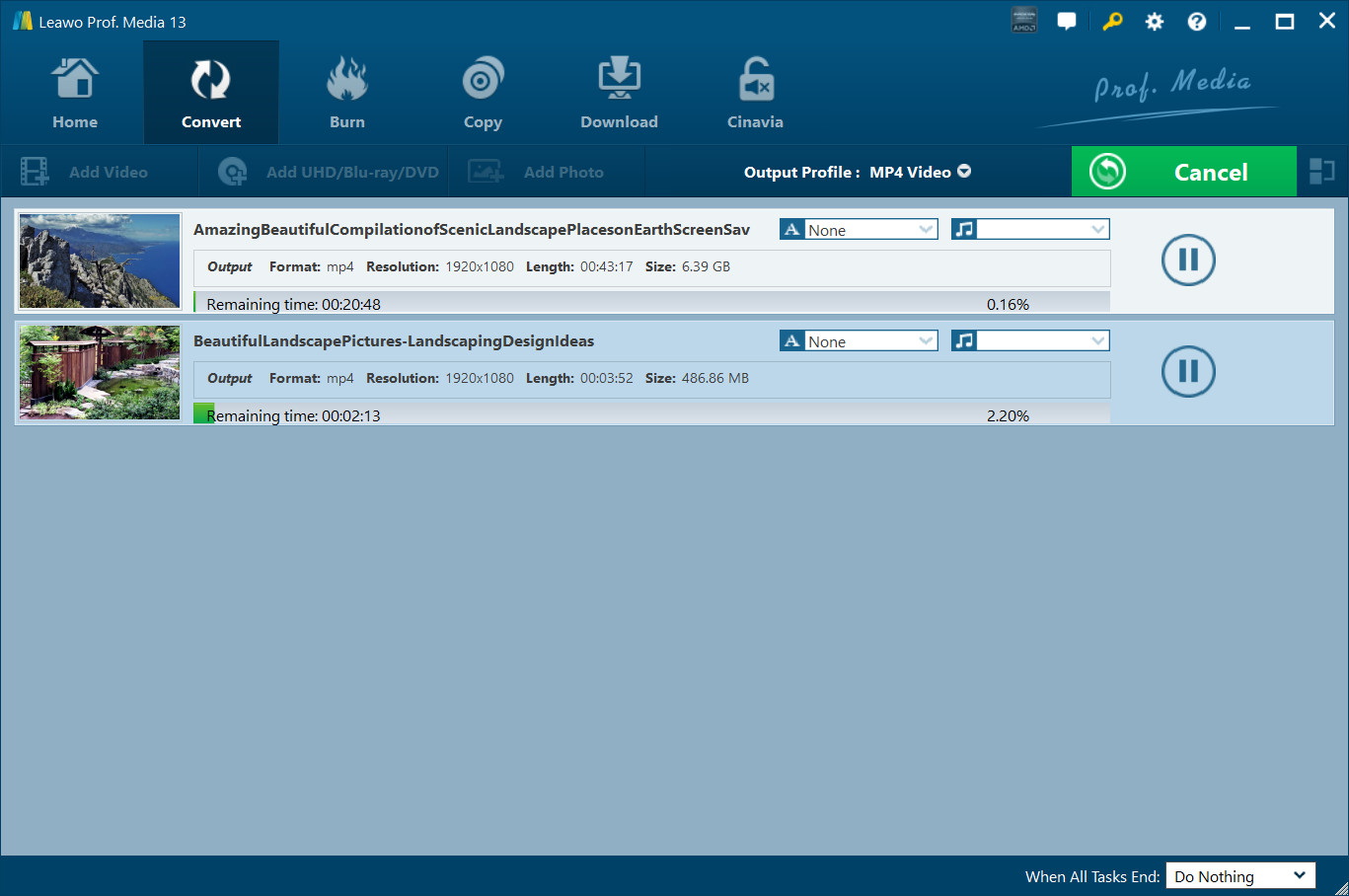
How to Convert AVCHD to MP4 on Android and iPhone?
If you are on Mobile, we have a solution for you as well. Mobile users often encounter compatibility issues with AVCHD files. The reason is that many video players on Android and iPhone don’t support this format. Using an online downloader is the solution. The online AVCHD to MP4 converter is the easiest way to handle this. You don’t need to install any apps, and you can convert your files directly from your mobile browser. Here’s a step-by-step guide:
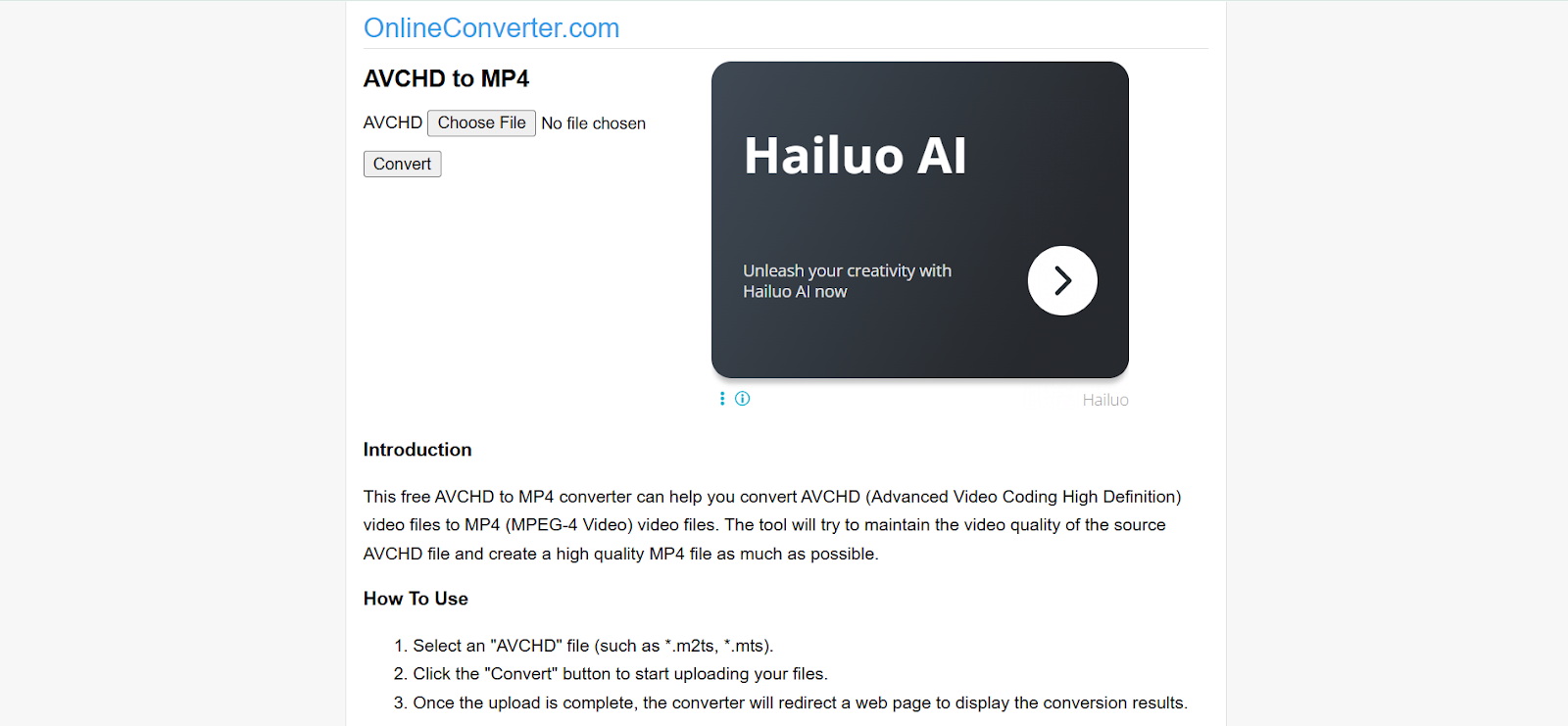
Step 1: Open the AVCHD to MP4 website on your mobile browser.
Step 2: In the main interface, click on the button to choose the AVCHD video from your device storage, Google Drive, or iCloud.
Step 3: Here select MP4 from the format options.
Step 4: Finally click Convert to begin the conversion process. The time will depend on your file size and internet speed.
Once all done, tap Download to save the MP4 video to your device. You can now play, edit, or share it easily.
Alternative Tools to Convert AVCHD to MP4 for Free
If you’re looking for free alternatives to convert AVCHD to MP4, there are reliable options like HandBrake and VLC Media Player. Both tools are widely used and work across multiple platforms.
1. HandBrake

HandBrake is an open-source video converter. It’s available for Mac, Windows, and Linux. It’s a powerful tool for converting videos to MP4 or MKV. With Handbrake you can also customise settings like resolution, bitrate, and subtitles.
Pros:
- Free and open-source with no hidden fees.
- Supports batch conversion.
- Offers presets for devices (iPhone, Android, tablets).
- Allows advanced settings for video codec, frame rate, and quality.
Cons:
- Interfaces may seem complex for beginners.
- Conversion speed can be slower compared to paid software.
- No built-in editor for trimming or merging videos.
2. VLC Media Player
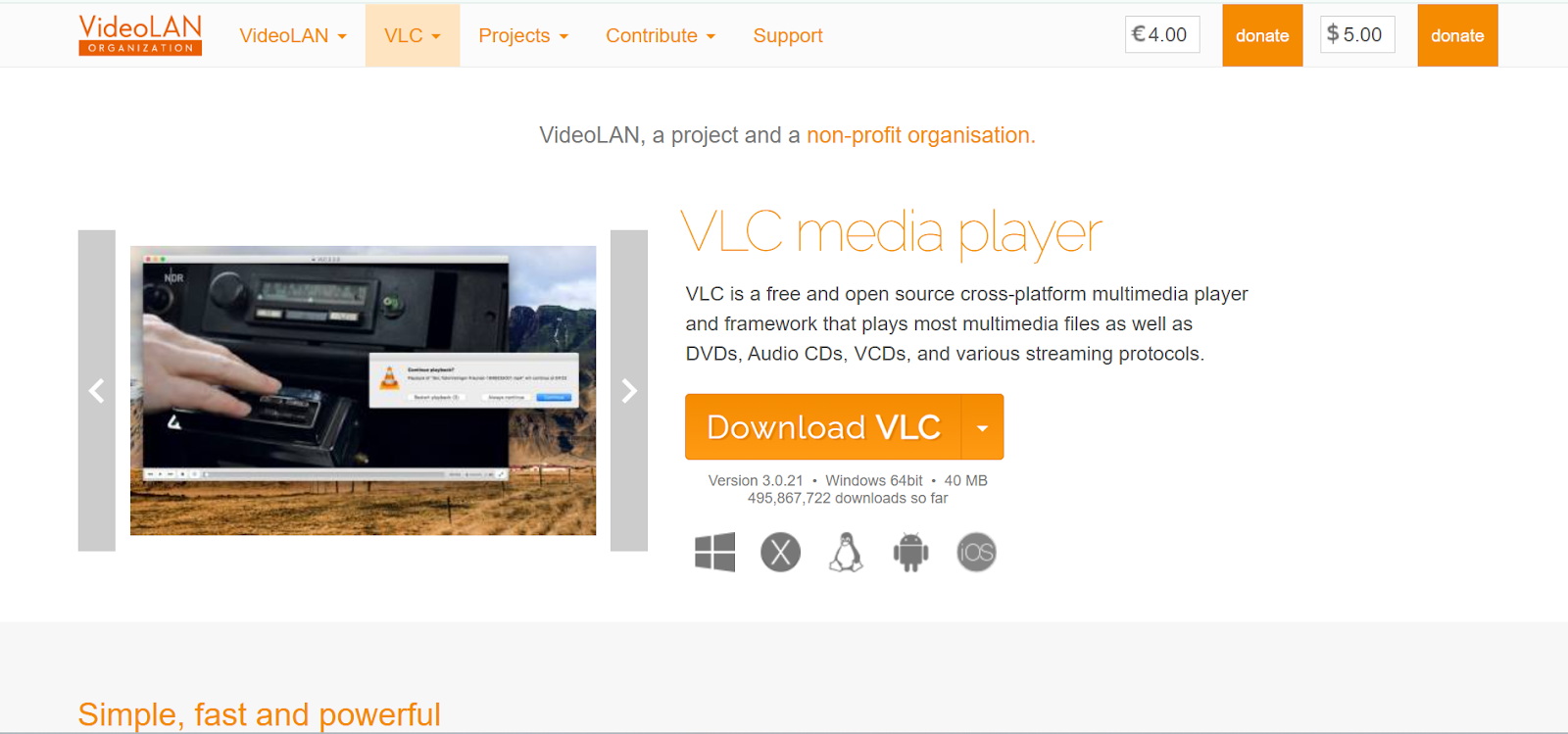
VLC is another popular media player that also includes a video conversion feature. It can convert AVCHD files to MP4 and works on Windows, Mac, Linux, Android, and iOS.
Pros:
- Free and widely available.
- Lightweight and easy to install.
- Supports a variety of input and output formats.
- Works across multiple platforms.
Cons:
- Limited control over advanced encoding settings.
- The conversion process is not as fast or optimized as dedicated converters.
- Lacks features like batch conversion or built-in video editing.
FAQs
Q1. Can I convert AVCHD to MP4 directly on my camera?
No, most cameras don’t offer built-in conversion features. AVCHD files are usually stored in their original high-definition format.
Q2. Which is the best AVCHD to MP4 converter?
For a reliable, fast, and feature-rich solution, we recommended to use Leawo Video Converter. Also, free alternatives like HandBrake and VLC Media Player also work well, especially for basic conversions.
Q3. Can I convert AVCHD to MP4 on my phone?
Yes, you can use online video converter tools on Safari or Chrome.
Q4. Will converting AVCHD to MP4 reduce video quality?
Leawo Video Converter can preserve 100% of the original quality. However free tools may slightly reduce quality depending on settings.
Q5. How long does it take to convert AVCHD to MP4?
It depends. Your file conversion time depends on your file size, computer or device speed, and the software used. Tools like Leawo Video Converter offer up to 6X conversion speeds, while free tools like HandBrake or VLC may take longer for large files.
Conclusion
It’s easy to convert AVCHD to MP4. The conversion is good to make high-definition videos more compatible, shareable, and easier to edit across devices. If you are someone who wants speed, flexibility, and high-quality results, Leawo Video Converter stands out as the best choice. With this tool, converting AVCHD files to MP4 is really easy. For all of these reasons we highly recommend you to give it a try for hassle.
-
Complete Guide: Types of Blu-ray Discs and Their UsesCassie J./2026-03-30
-
How to Play Region B Blu-ray in Any Region?Cassie J./2026-02-28
-
How to Play AVI Files on Mac and WindowsCassie J./2026-01-30
-
The Complete Guide to Play Blu-ray on PS5Cassie J./2025-12-23
-
How to Increase the Resolution of Image?Cassie J./2025-11-26
-
How to View Twitter Without an Account?Cassie J./2025-10-31
-
How to Convert AVCHD to MP4 on Mac, Windows, Android, and iPhone?Cassie J./2025-09-28
-

What is Region 1 DVD? How to Play Region 1 DVD in Other Regions?Cassie J./2025-08-21
-
How to Burn YouTube Video to DVD for Offline Archive?Cassie J./2025-07-11
-
Can’t Play Video? 6 Quick Solutions for “Video Codec Not Supported”Cassie J./2025-06-25